Getting Started
1. Purchase a license
Once you have purchased a license, make sure to save the activation key. It will be displayed on the page after payment and sent to you by email. Please also check your spam folder.
If you can't find the activation key you ordered after your payment or if you lose it, don't worry, just send us a short message at support@schoolstore.fi. We will respond as soon as possible.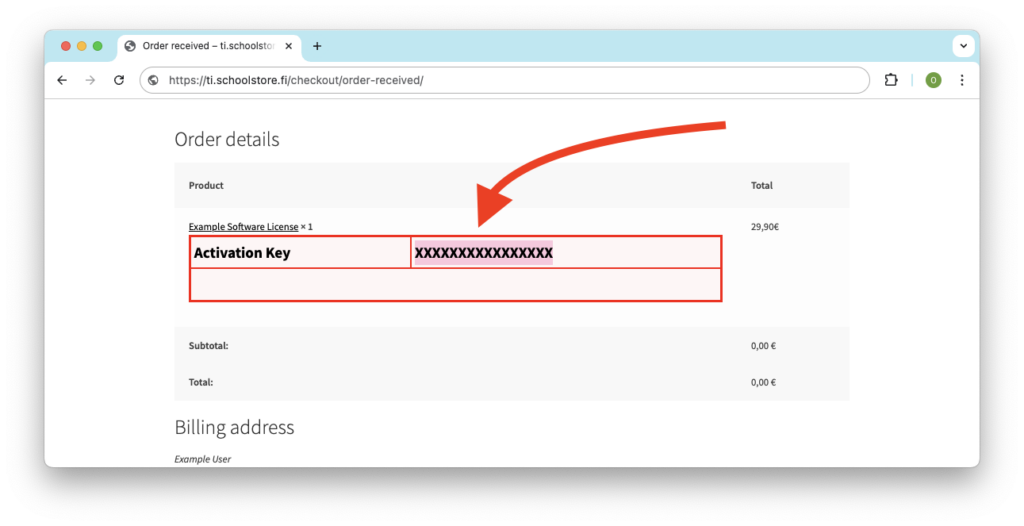
2. Log in to edtech.ti.com
Log in or register at edtech.ti.com. You can use your Google or Microsoft account for direct login or create a new username and password. Remember your credentials as you will need them later.
3. Activate the license
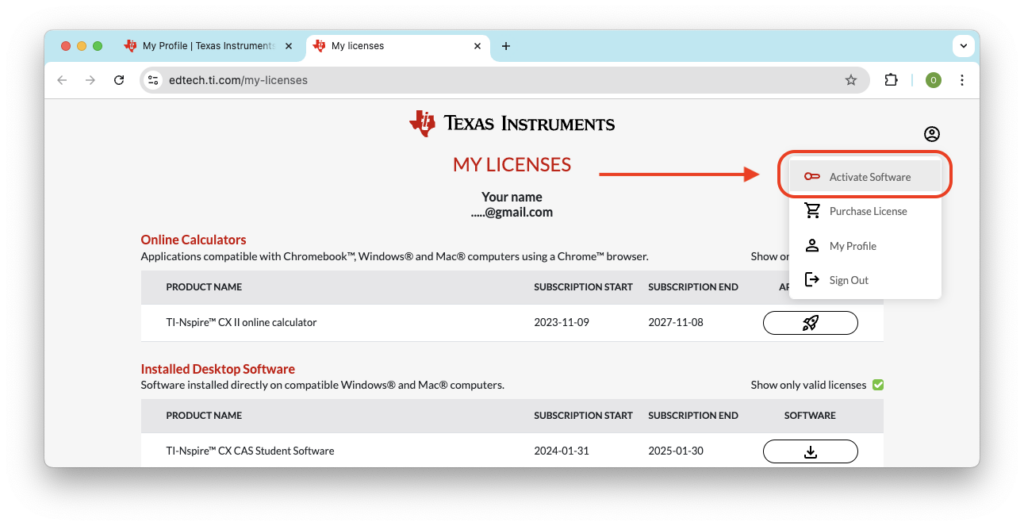
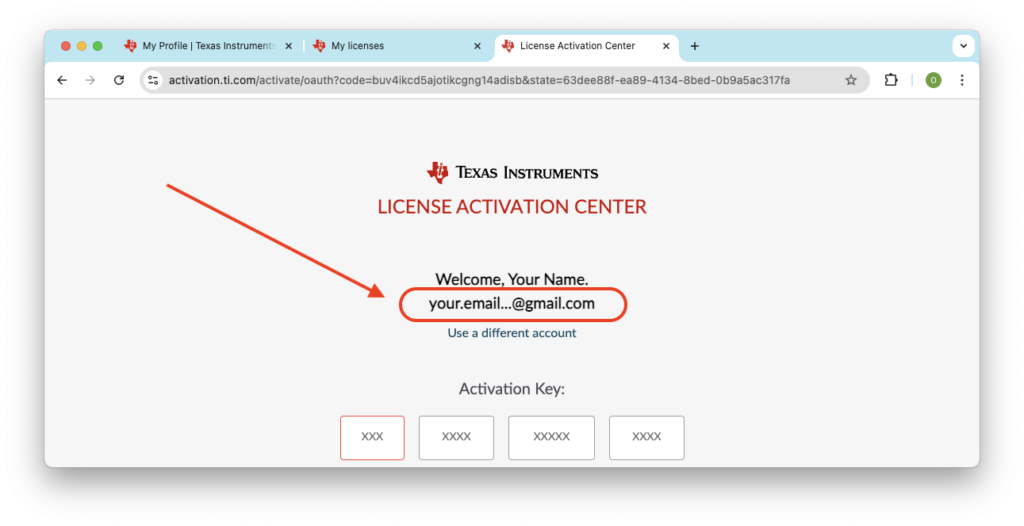
Select 'Activate License' from the menu or go directly to activation.ti.com. Before entering the code, make sure you are logged in with the desired username.
4. Install the software
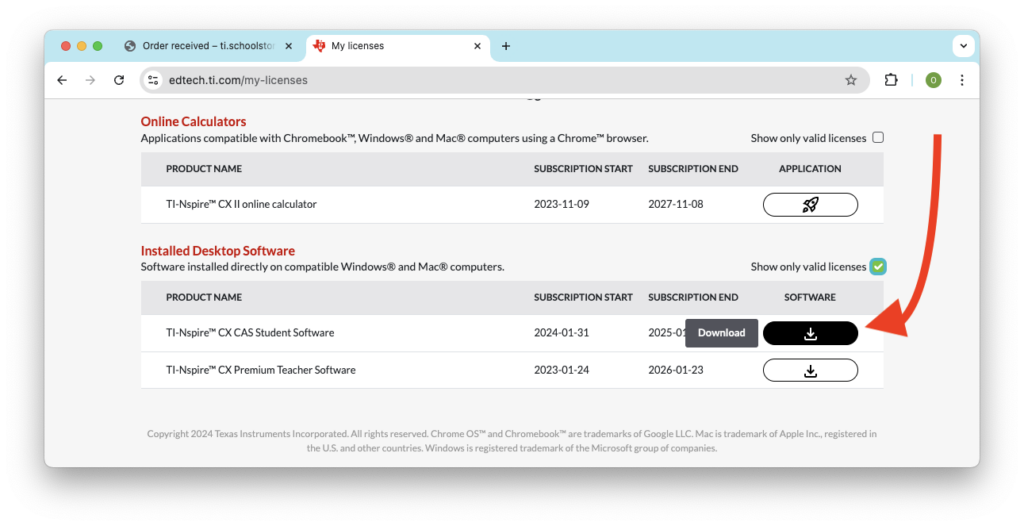
Download and install the software on your computer. Make sure you have the correct version of the software that matches your purchased license.
5. Open the software and log in
When you open the software, log in using the same credentials you used to activate the license. This is important to ensure the software correctly recognizes your license.
Common Issues and Solutions
Correct Username
Ensure you are using the same username that you used to activate your license. By logging in to edtech.ti.com, you can check if your license is visible there.
Correct Software and Version
Make sure you have installed the correct software that matches your purchased license.